1.1 Viewing PointCloud2 data#
While you robot is updating. You can already start having a look at the raw pointcloud data. Since pointcloud data is consuming a lot of bandwidth it is highly recommended to connect you robot via an ethernet cable rather than wifi.
You can open ROSBoard which runs on the robot (by opening a browser to mirte.local:8888), and add the /camera/depth/points topic. This will show you an image of the current
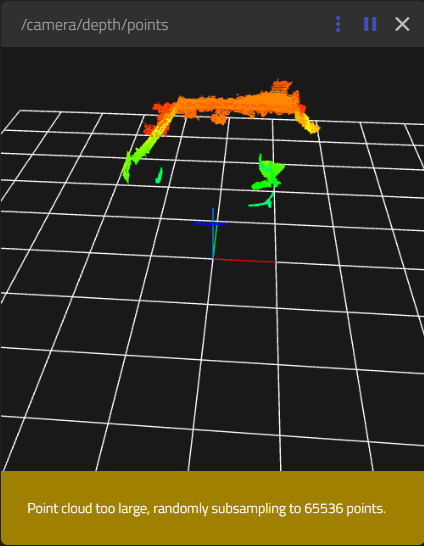
As you see there is already a lot of data to be shown, and ROSboard is already downsampling. But this downsampling is done on your browser, and not on the robot itself.
info
Please note that this viewing of the PointCloud already asks a lot of the CPU. You can check this with htop. Just closing the pointcloud viewer in ROSboard is not enough to get it back to normal. You really have to refresh the ROSboard page.
$ htop
info
This might cause ROSboard to crash (you will not be able to reload thev webpage). If this is the case, you can restart the web interface:
$ sudo systemctl restart mirte-web-interface